
Miscellaneous
| ER-to-ER Sharing | A Gundi-powered feature that allows one EarthRanger site to share subject location data and/or events with another EarthRanger site in near real-time, enabling coordinated monitoring across multiple protected areas. |
| Subject Groups | Administrator-defined collections of subjects, used to organize subjects for display, permission control, and analyzer configuration. A subject can belong to multiple groups. |
| Permission Sets | Administrator-configured bundles of access rights assigned to users. Permission sets control what data a user can view (e.g., specific subject groups, event categories, track history duration) and what actions they can perform. |
| Global Forest Watch | Open-source, interactive online platform that monitors the world's forests in near real-time. |
Main Layout
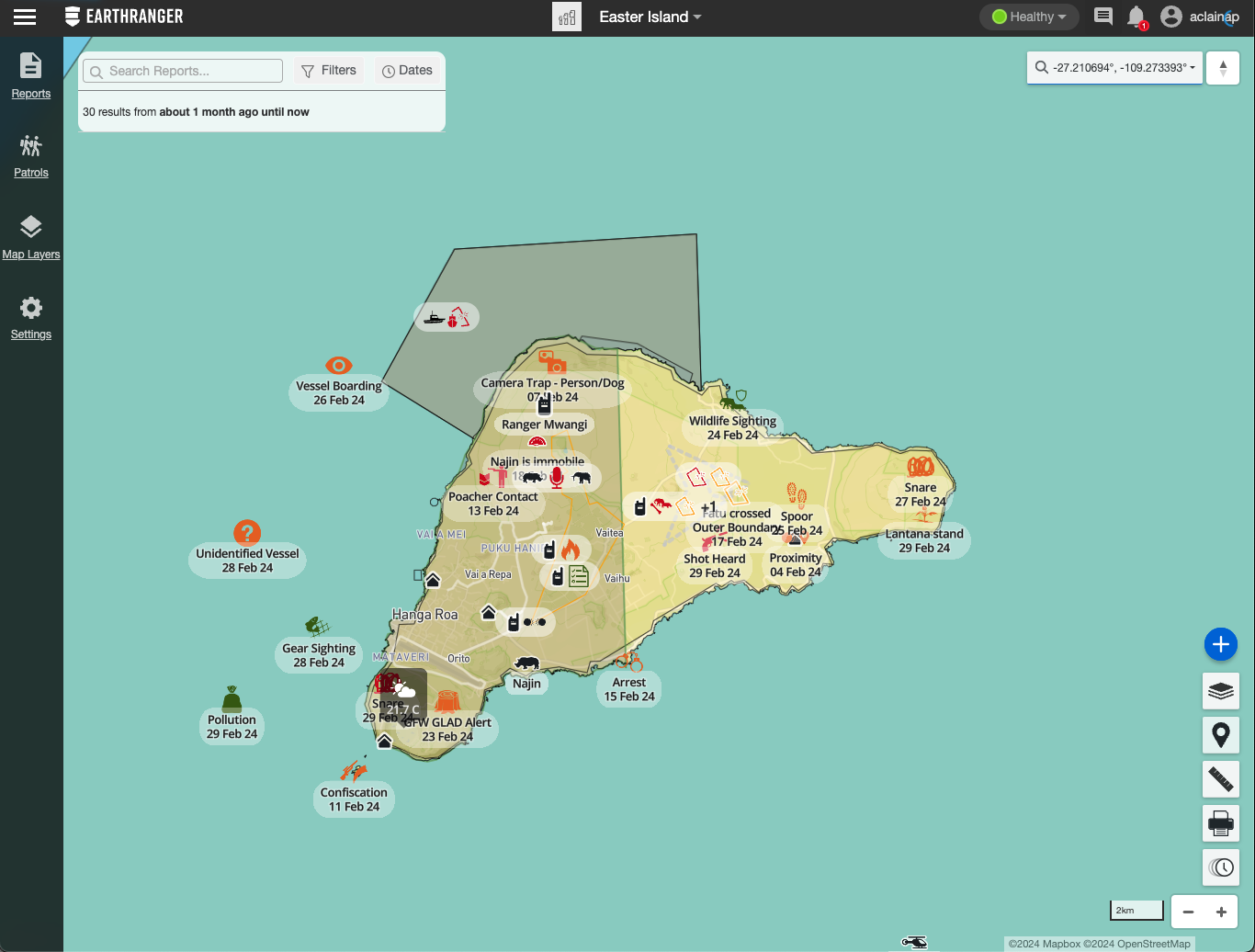
Menu

| EULA | End User License Agreement. The legal terms governing use of EarthRanger. Accessible from the App Menu. |
| Website Privacy Policy | Outlines EarthRanger's privacy practices for website visitors. Accessible from the App Menu. |
| Data Privacy Policy | Documents how EarthRanger collects, stores, and uses data from users and connected devices. Accessible from the App Menu. |
| ArcGIS Export | Sends subject observation data to an ArcGIS environment for advanced geospatial analysis and visualization. |
Settings
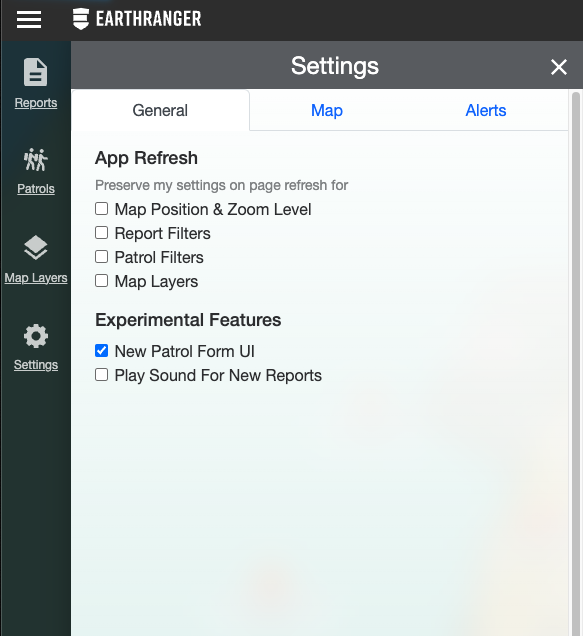
| Alerts | Automated notifications triggered when an event meets specified conditions. Alerts can be delivered via SMS, email, or WhatsApp. Each alert rule can include one or more conditions (such as Contains, Starts With, Equal To, Matches RegEx, Is One Of) and can be set on a weekly schedule so notifications are only sent during defined hours and days. |
| Alert Conditions | Logical rules applied to an event field that determine when an alert is triggered. Available condition types include: Contains, Starts With, Ends With, Equal To, Equal To (case insensitive), Is One Of, Is Not One Of, Non Empty, and Matches RegEx (regular expression pattern). Multiple conditions can be combined for precise targeting. |
| Alert Schedule | An optional time-based restriction on an alert rule that limits notifications to specific days of the week and hours of the day. Useful for routing after-hours alerts to on-call staff only. |
| Language Setting | Found under Settings > General. Allows users to change the display language of the EarthRanger interface. |
Patrols

| Patrol Types | Administrator-defined categories for patrols (e.g., "Foot Patrol," "Vehicle Patrol," "Marine Patrol"). Each type has its own icon, display name, and default priority. Selected when creating a new patrol. |
| Tracked By | The subject (device) assigned to record the GPS track for a patrol. A patrol can have one or more tracked-by subjects, and their movement data forms the patrol track displayed on the map. |
Events

| Priority | A color-coded classification assigned to an event to indicate urgency. Priority levels are typically represented by color (e.g., red for high, yellow for medium, green for low). Default priorities can be configured per event type by an administrator. |
| Quick Filters | Preset one-click filter options in the Events Feed and Patrol Feed that allow users to rapidly narrow results to common views (such as "Active" or "Today") without manually setting filter criteria. |
| Map Sync | When enabled in the Events Feed, events shown in the feed are simultaneously highlighted on the map, and vice versa, keeping the list and map views in sync. |
| Event Polygon Geometry | An option available on certain event types that allows the user to draw a polygon on the map to define the geographic area of an event, rather than marking a single point location. |
| Enumerated Field | An event field with a predefined list of selectable options (dropdown). |
| Text Field | A free-text entry field in an event. |
| Number Field | A numeric data entry field in an event. |
| Array | A repeatable section in an event that allows users to add multiple instances of a sub-form (e.g., adding multiple animals observed in a single sighting). |
| Required Field | An event field that must be completed before the event can be saved. |
| Read-Only Field | An event field whose value is set by the system and cannot be edited by the user. |
| Dynamic Choices Field | A field whose available options change based on values entered in other fields. |
Map Layers

Map Features
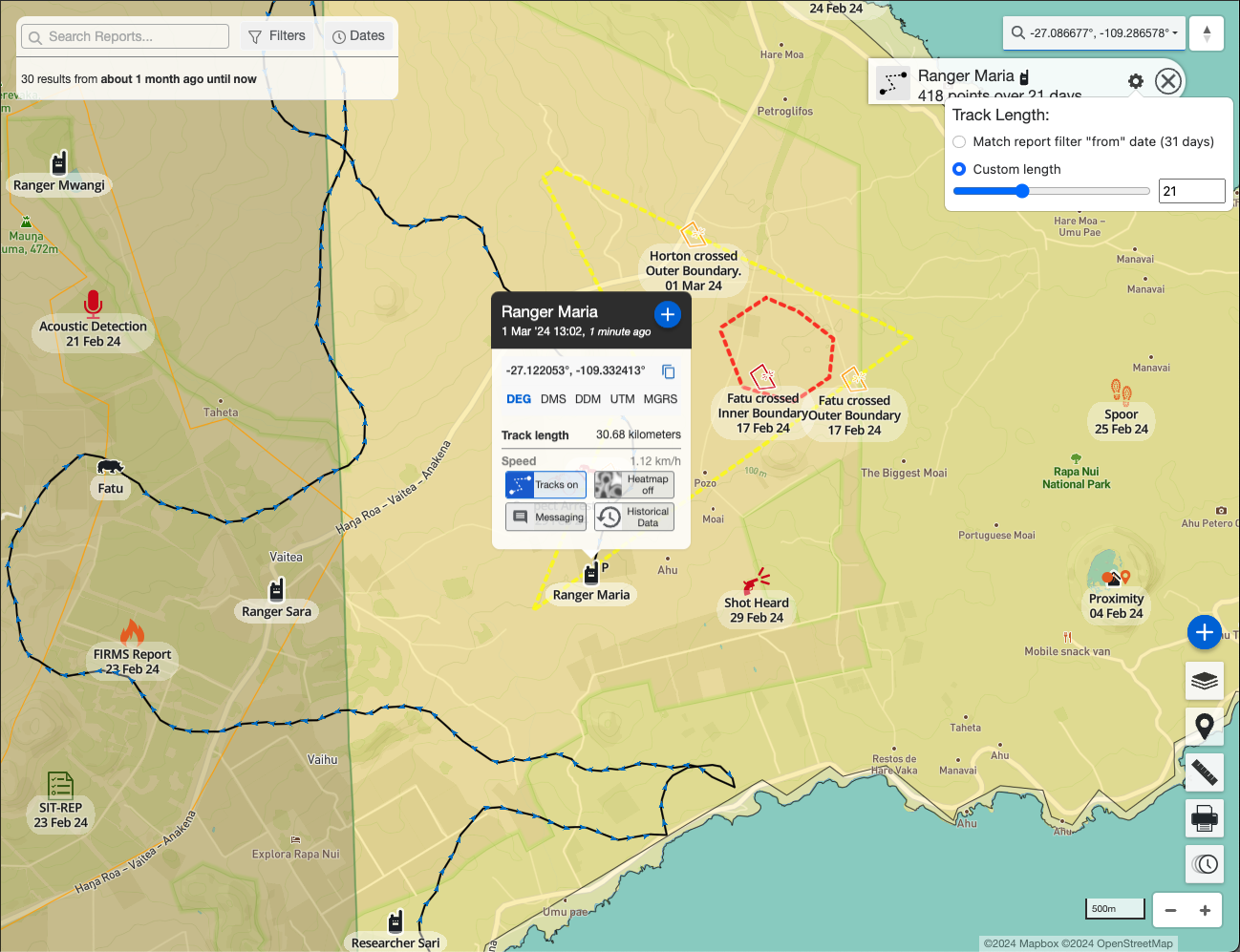
| Track Detail Panel | When a subject's track is active on the map, clicking the track endpoint icon (informally called the "popsicle stick") opens a panel showing the subject's icon, name, number of observation points over the track period, and a configuration icon to adjust the track length. |
| Track Length | The time window of location history shown for a subject's track on the map. Can be set to match the current Event Filter date range, or set to a custom number of days. Adjustable from the Track Detail Panel. |
| Subject Additional Data | Supplementary information associated with a subject beyond its location, such as collar status, speed, heading, battery level, or other provider-specific attributes. Visible in the subject's detail panel on the map. |
| Subject Historical Data | Past location and attribute records for a subject, accessible from the subject's detail panel. Allows users to review a subject's data beyond the current track display window. |
EarthRanger Mobile
|
EarthRanger Mobile
|
The iOS and Android companion app for EarthRanger, used by rangers in the field to submit events, conduct patrols, and enable GPS device tracking directly from their smartphone or tablet. |
| Tracking | A mobile app feature that uses the device's GPS to record and transmit the user's location to EarthRanger in real time, making the device a tracked subject on the map. Tracking can operate independently of a patrol. |
| Patrol Live Indicator | A status icon displayed on the mobile map when both tracking and a patrol are active simultaneously, confirming the device is recording a patrol track. |
| Patrol Drawer | A slide-up panel in the mobile app that appears when a patrol is active. Displays the patrol name, type icon, ID, start time, distance covered, duration, start location, and an End Patrol action button. |
| Slide Up Drawer | A bottom panel on the mobile map screen that provides quick access to the New Event button and other contextual actions. |
| Sync | The process by which the mobile app sends pending events, patrol data, and track points to the EarthRanger server. The Sync Status screen shows counts and timestamps for pending and last-synced events, patrols, and tracks, as well as image sync progress. |
| Save Draft | An option when creating an event in the mobile app that saves the event locally on the device without submitting it to the server. Draft events can be edited and submitted later. |