
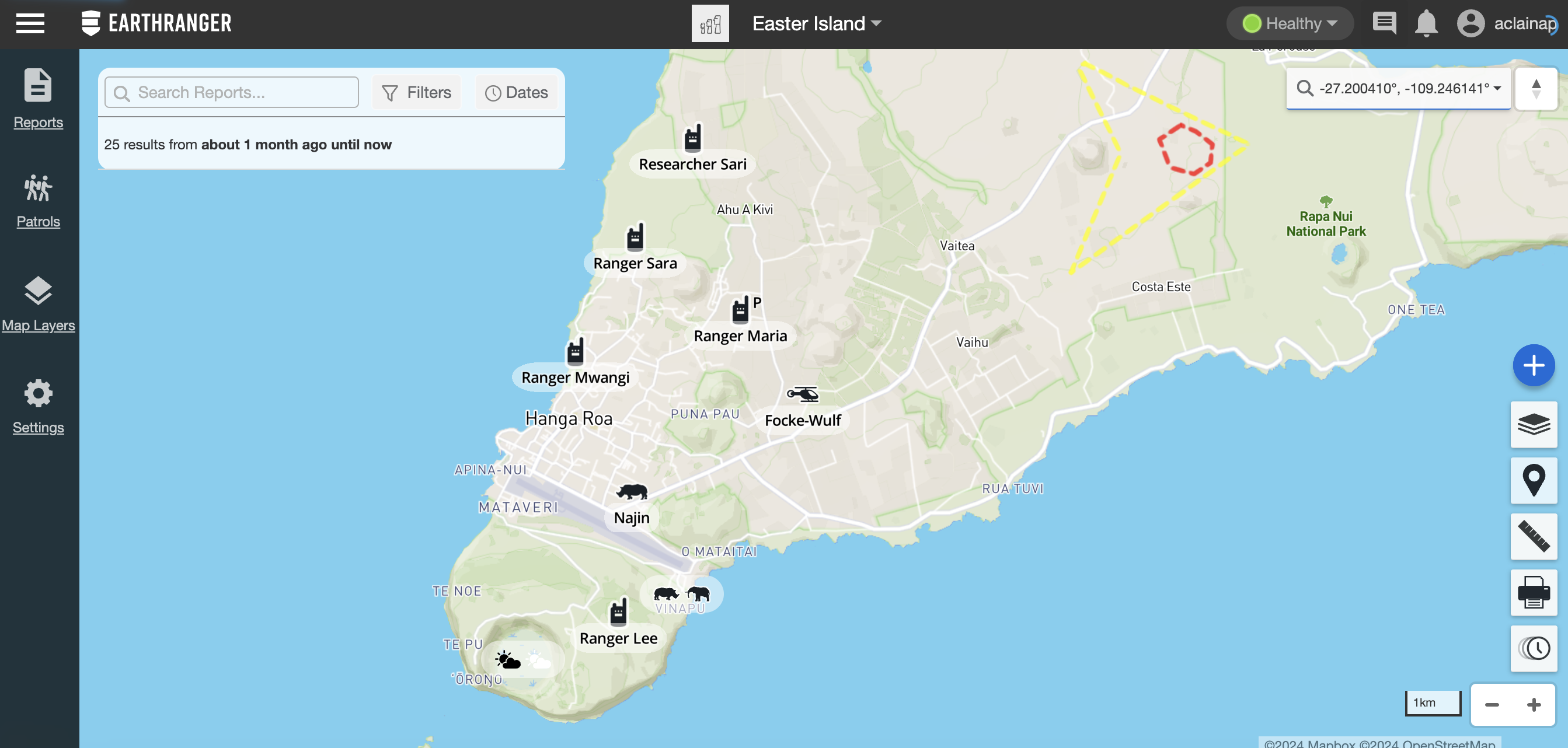
A Subject in EarthRanger represents a device that is sending periodic data, such as tracking locations or sensor readings.
Examples of Tracked Subjects include aircraft, drones, boats, wheeled vehicles, animals wearing tracking collars, and people carrying GPS-enabled radios.
This enables a variety of information displayed for each of the Subjects, in the case of Tracked Subjects in the Tracked Subject Properties you will be able to see the name, location, time of last contact, and tracking options. You can distinguish collared animals based on the direction of the icon. The icon representing a female animal faces to the right, while the male icon faces left.
The Subject’s current location and location over time are displayed as a Track. The location points over time are displayed as a series of dots connected by lines with arrows showing the direction traveled.
Selecting an arrow in a Track shows when the Subject was at that precise location. To see the Tracks more clearly, you can click on the Tracked Subject Properties to show them, pin them on the map, or hide them.
The Track Length is configured by clicking Tracks View Settings in the top right of the Map. There are two available options for this configuration:
- Match Report Filter: Matches the From date of any filter currently applied to the Map View. The To date always defaults to the current date and time — even if the applied filter specifies a different To date — since EarthRanger assumes a Subject's track continues up to the present moment.
- Custom Length: Lets you choose how many days of track to view.
Tip: To see the tracks of multiple subjects, repeat this process for any number of desired subjects.